
Divinity 2 on Linux: Notes & Tips

| Title | Divinity II: Developer's Cut |
|---|---|
| Year | 2012 |
| Developer | Larian Studios NV |
| Graphics API | Direct3D 9.0c |
| Audio API | DirectSound |
Runtime Environment
- Wine Prefix:
wine-proton-9.0-1-amd64 - DXVK Version:
2.7.1(used to translate DirectX 9 to Vulkan)
Required Winetricks
To play the game and ensure movies work correctly, install the following via Winetricks:
physxwmp9quartzopenalcorefontstahoma
Additionally, install the following system component:
PhysX-9.17.0524-SystemSoftware— required for proper game functionality.
Audio Configuration
DSOALwas installed in thesyswow64directory becausedsound.dllis not loaded if placed in the game’sbinfolder.- Debugging audio issues:
WINEDEBUG=+quartz,+dsound wine Divinity2.exe &> wine-audio.log
Video Playback Fix
- If movies have crackling audio, reencoding the videos can fix the problem.
- Cut-scene playback had issues due to 48kHz sample rate. Converting videos to 44.1kHz resolves this.
- Some videos with 5.1 surround sound were converted to 2-channel 44.1kHz for consistency.
Reencode the videos
To reencode videos using the provided script, navigate to the script's base path and specify the folder containing the videos. If no folder is specified, the script defaults to the base path. The script processes each .WMV file, skipping those already backed up or processed. It uses ffmpeg to copy the video stream and reencode the audio to 192k bitrate, 44.1kHz, and 2 channels. The original files are backed up with an "ori_" prefix.
Performance Tweaks
- Installed community patch:
Div2Patch_v0.97_NoSetupto resolve slowdown and improve performance. - Disabled FPS cap in game settings and maxed out all graphical options.
Launcher Behavior
Lutris Launcher
- Cut-scenes play correctly using default GStreamer (likely version
1.22.12). - Only
physxfrom Winetricks appears necessary.
Heroic Launcher
- Game fails to play cut-scenes with system GStreamer (likely version
1.24). - Works when passing these environment variables:
LD_LIBRARY_PATH=/home/deck/.local/share/gstreamer-1.0GST_PLUGIN_SYSTEM_PATH_1_0=/home/deck/.local/share/gstreamer-1.0
Environment Notes
- Copied GStreamer libraries into
/home/deck/.local/sharefor reuse with other games. - Default
LD_LIBRARY_PATHis not set correctly in Lutris. wine-ge-8-26fails to use GStreamer unless manually set in prefix settings:
LD_LIBRARY_PATH=/home/deck/.var/app/net.lutris.Lutris/data/lutris/runners/wine/wine-ge-8-26-x86_64/lib
Downloads
- Community patch: Div2Patch v0.97 NoSetup
- PhysX System Software 9.17.0524
- Reencoded video folder (Archive.org)
Screenshots
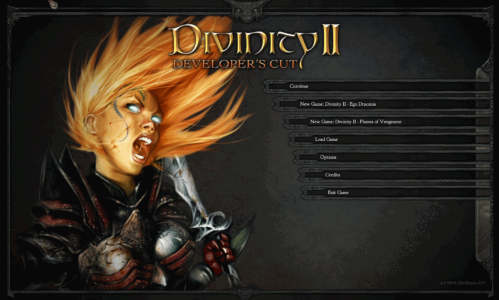
Divinity2-main-screen1.png Divinity II - Main Menu

Divinity2-ingame-screen1.png Divinity II - Gameplay
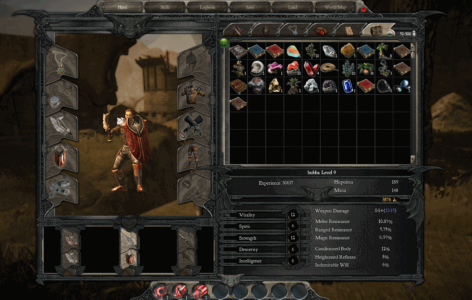
Divinity2-ingame-menu1.png Divinity II - In-game Menu


Comments
Loading comments...